

Free Resume Builder
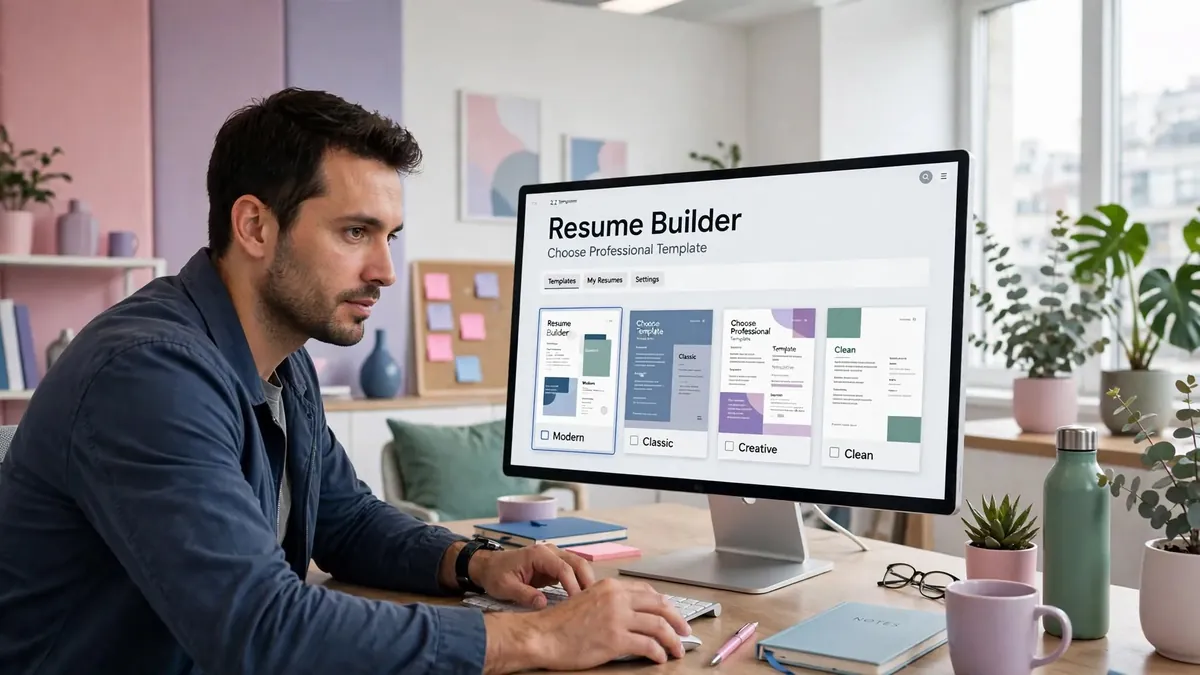
Choose a design, type your details and watch your resume update on the page, then download it as a PDF. Applying through a job portal? Pick an ATS-friendly template, because its PDF keeps real, selectable text that screening software can read. Want a personal touch? Professional templates with a photo add a neat header with a square, circle or tall frame. There is no account to make, nothing is uploaded and the whole tool is free.
Pick one of 60 resume templates
Everything is saved in this browser only. Nothing is uploaded.
How to make a resume online in four steps
Quick answer: pick a template, type your details, set the colours and fonts, then download the PDF. The whole process takes about fifteen minutes.
- 1
Pick a template
Open the gallery and choose a design. Filter by photo, sorority, ATS-friendly or professional, then click one to see your page change at once.
- 2
Fill in your details
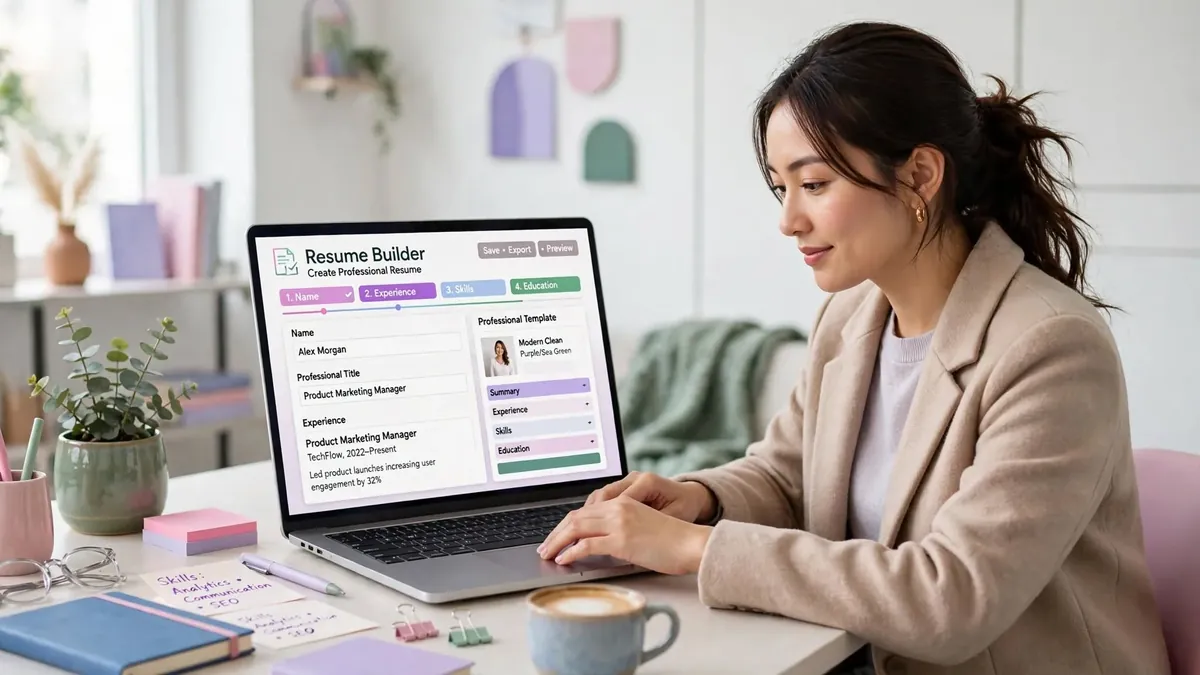
Add your name, work history, education and skills. Write one achievement per line and each line becomes a neat bullet. Skip any card you do not need.
- 3
Choose the look
Set the accent colour, fonts, paper size and page count. Every template remembers its own choices, so you can switch designs and come back.
- 4
Download and apply
Press Download PDF. Choose an ATS-friendly template when you apply through a job portal, because its PDF keeps real, selectable text.

What this free resume maker includes
The builder is made for people who want a good-looking page without fighting a word processor. Here is what you get with every template.
60 designs in six template types
Photo designs, professional layouts, ATS-friendly pages, simple one-page styles, creative looks and sorority styles, all changeable in seconds.
Matching cover letter and references
Each template also builds a cover letter and a references page in the same style, so your whole application looks like a set.
Letter or A4, one or two pages
Pick the paper size used in your country and a one or two page length. A clear notice tells you if anything does not fit.
Fonts, colours and sections
Choose from 40 fonts for headings, body text and your name, pick any accent colour, hide sections you do not need and add sections of your own.
Photo upload and crop
Add a photo, drag it into position, zoom in and pick a square, circle or tall frame. The photo is read in your browser only.
Private by design
Your text and photo stay in this browser and are saved on this device. Nothing is sent to a server, and you can clear it any time.
How to write a strong resume
A resume has one job: to win you an interview. These eight tips apply to every template and every country.
1. Choose a clear structure
Put your name and contact details first, then a short summary, work experience, education and skills. Use the same order for every job so a reader can scan it in seconds. Keep headings plain and familiar.
2. Keep it to the right length
One page suits most people early in their career. Two pages are fine when you have many years of relevant experience. If a second page has only three lines on it, tighten the first page instead.
3. Write a summary that is about the job
Two or three sentences are enough. Say who you are professionally, what you do best and what you want next. Change it for each application so it echoes the role you are applying for.
4. Show results, not just duties
A list of tasks tells a reader what the job was. A result tells them what you did with it. Start each bullet with an action word and finish with an outcome, such as time saved, people helped or a target met.

5. Use numbers you can defend
Figures make a bullet concrete, but only use ones you can explain in an interview. If you do not have exact data, describe the scale honestly, for example "for a team of eight" or "across three shops".
6. Tailor it to each job
Read the advert and list the skills it asks for. Move your most relevant experience higher and use the same wording where it is true. A resume built for one role beats a general one sent to fifty.

7. Avoid the common mistakes
Typos, long paragraphs, tiny fonts, unexplained gaps and a joke email address all cost interviews. Do not include reasons for leaving a job, a full home address or details the employer cannot legally ask for in your country.
8. Do a final check
Read it aloud, then read it backwards line by line to catch slips. Check every date and phone number. Ask a friend to look at it, save it as a PDF and open the PDF on a phone to see how it looks.
Action verbs for your resume
Strong verbs make each bullet shorter and clearer. Pick the group that matches your work and avoid repeating the same verb in one job.
Leadership
led, directed, coordinated, mentored, supervised, organised, guided, delegated, headed, oversaw, motivated, chaired
Communication
presented, wrote, negotiated, explained, translated, persuaded, briefed, moderated, interviewed, informed, clarified, reported
Technical work
built, designed, programmed, configured, tested, repaired, installed, automated, debugged, deployed, upgraded, maintained
Analysis
analysed, measured, evaluated, forecast, audited, researched, compared, identified, assessed, modelled, examined, diagnosed
Creative work
created, drafted, illustrated, edited, produced, styled, composed, launched, photographed, sketched, filmed, curated
Customer service
resolved, assisted, supported, welcomed, advised, handled, followed up, reassured, answered, served, escalated, retained
Sales and marketing
sold, promoted, grew, pitched, generated, secured, campaigned, converted, advertised, targeted, upsold, expanded
Finance
budgeted, reconciled, calculated, reduced, invoiced, tracked, allocated, saved, forecasted, balanced, processed, costed
Teaching and training
taught, trained, coached, tutored, assessed, demonstrated, inspired, prepared, mentored, graded, onboarded, facilitated
Project management
planned, scheduled, delivered, managed, prioritised, streamlined, monitored, completed, launched, tracked, scoped, executed
Improvement
improved, increased, boosted, cut, simplified, modernised, restructured, accelerated, strengthened, revised, optimised, rebuilt
Teamwork
collaborated, partnered, contributed, supported, joined, shared, volunteered, cooperated, assisted, united, aligned, helped
Research and writing
researched, summarised, documented, proofread, published, reviewed, catalogued, compiled, authored, surveyed, outlined, investigated
Operations and logistics
scheduled, dispatched, stocked, packed, organised, inspected, shipped, coordinated, supplied, labelled, ordered, tracked
Healthcare and care
cared for, monitored, assisted, recorded, administered, comforted, screened, educated, observed, supported, escorted, reported
Problem solving
solved, fixed, resolved, investigated, diagnosed, redesigned, restored, prevented, adapted, untangled, tested, corrected
Responsible for answering customer emails.
Answered about 40 customer emails a day and replied to every one on the same day.
How to prepare for a job interview
Good preparation is the best cure for nerves. Follow this order from the day before to the days after.
The day before
Read the job advert again and write three examples that match it. Look up the organisation, its products and its people. Plan your route, print spare copies of your resume and lay out your clothes.
Arriving
Aim to arrive ten minutes early, not thirty. For an online meeting, test your camera, sound and internet beforehand and sit somewhere quiet with a plain background.
First impressions
Greet everyone politely, smile and use the customs of the place you are in. Switch your phone off. Dress one step smarter than the daily dress of the team.
The first five minutes
Expect small talk and "tell me about yourself". Prepare a short answer covering your background, a recent strength and why this role. Keep it under two minutes.
Closing well
Ask two or three real questions about the work, the team or how success is measured. Thank each person, restate your interest in one sentence and ask about the next step.
The follow-up message
Send a short thank-you email within a day. Mention one thing you enjoyed learning, add a line about why you fit and keep it under one hundred words.
Common interview questions and how to answer them
These questions come up in many countries and many fields. Practise your own answers aloud rather than memorising a script.
- Tell me about yourself. Give a two-minute story: where you are now, what you do well and why this role is the next step. Do not read out your resume.
- Why do you want this job? Link something specific about the work or the organisation to your own goals. Generic praise sounds rehearsed.
- What are your strengths? Pick two that the job needs and back each one with a short example.
- What is your biggest weakness? Name a real, fixable weakness and explain what you are doing about it. Avoid disguised strengths.
- Why should we hire you? Match your top skills to the main needs in the advert and finish with a result you have delivered.
- Describe a time you solved a problem. Use a simple pattern: the situation, what you did, and what changed because of it.
- Tell me about a mistake you made. Choose a small, honest one, say what you learned and show how you now avoid it.
- How do you handle pressure? Explain how you prioritise, ask for help early and stay calm, with one real example.
- Describe a time you worked in a team. Say what your role was, how you dealt with disagreement and what the group achieved.
- How do you handle conflict at work? Describe listening first, finding the real issue and agreeing a next step. Never blame a former colleague.
- Where do you see yourself in five years? Show ambition that fits the role, such as deeper skills or more responsibility, without naming a job title that is not on offer.
- Why are you leaving your current job? Stay positive. Talk about what you want to learn or do, not what you dislike.
- What are your salary expectations? Research typical pay for the role and place, then give a range. If the topic is new, ask what range the employer has in mind.
- How do you stay organised? Describe a simple system, such as a daily list, calendar blocks or a shared tracker, and how it helped you meet a deadline.
- How do you deal with a difficult customer or person? Show empathy, clarify the problem, offer a solution and follow up afterwards.
- What motivates you? Choose something true that fits the work, such as solving problems, helping people or learning new skills.
- Tell me about a time you led others. Leadership does not need a title. Describe how you guided a group, shared the work and supported others.
- What do you know about our organisation? Mention its main products or services, a recent project and what you like about its approach.
- How do you learn new skills? Give a recent example: what you learned, how you practised and how you used it at work.
- Describe a time you went beyond your job description. Pick an example where you saw a need, took initiative and the result helped others.
- Do you have any questions for us? Always say yes. Ask about the team, the first three months and how the role is measured.
- Is there anything else you would like to add? Use it to close well: restate your interest and one strength that you have not yet covered.
How interviews differ around the world
Customs change from place to place. Use this table as a general guide, and ask the organisation if you are unsure.
| Topic | What to know |
|---|---|
| Handshake and greeting | A firm handshake is common in many countries, while in others a nod, a bow or no contact is more usual. Follow the lead of the person you meet. |
| Small talk | Short, friendly talk about the journey or the weather is normal in many places. In others, interviewers move straight to the work. |
| Punctuality | Arriving a few minutes early is welcome nearly everywhere. Arriving very early can be awkward, so wait nearby. |
| Photos on resumes | Common in some regions and discouraged in others, partly to avoid bias. Check local practice before you add one. |
| Personal details | Date of birth, marital status and nationality appear on resumes in some countries and are best left off in others. |
| Talking about yourself | Some cultures expect you to state achievements openly. Others prefer a team focus. Describe your own part clearly, and credit others. |
| Interview format | Expect one or several rounds, panel interviews, tasks or presentations. Ask the organisation what to expect in advance. |
Building confidence before and during interviews
Confidence is a skill you can train. These four habits help most people.
Habits that build calm
Practise answers aloud, record yourself once and listen back. Do a mock interview with a friend. Preparation turns nerves into energy because you know what is coming.
Breathing and posture
Before you go in, breathe in for four counts and out for six, three times. Sit with your back straight and feet flat. A slower voice sounds confident.
When your mind goes blank
Pause, take a breath and say "let me think about that". Ask for the question again or repeat it in your own words. A short silence feels longer to you than to the listener.
Handling rejection
A no is information, not a verdict on you. Ask for feedback politely, note one thing to improve and keep applying. Most people send many applications before an offer.
Which resume template fits you?
Match the design to your situation. Answer two short questions in the guide below: what best describes you right now, and what kind of role you want. Then open the template names listed for your type. If you are not sure, start with an ATS-friendly page and switch later. Your details move with you.
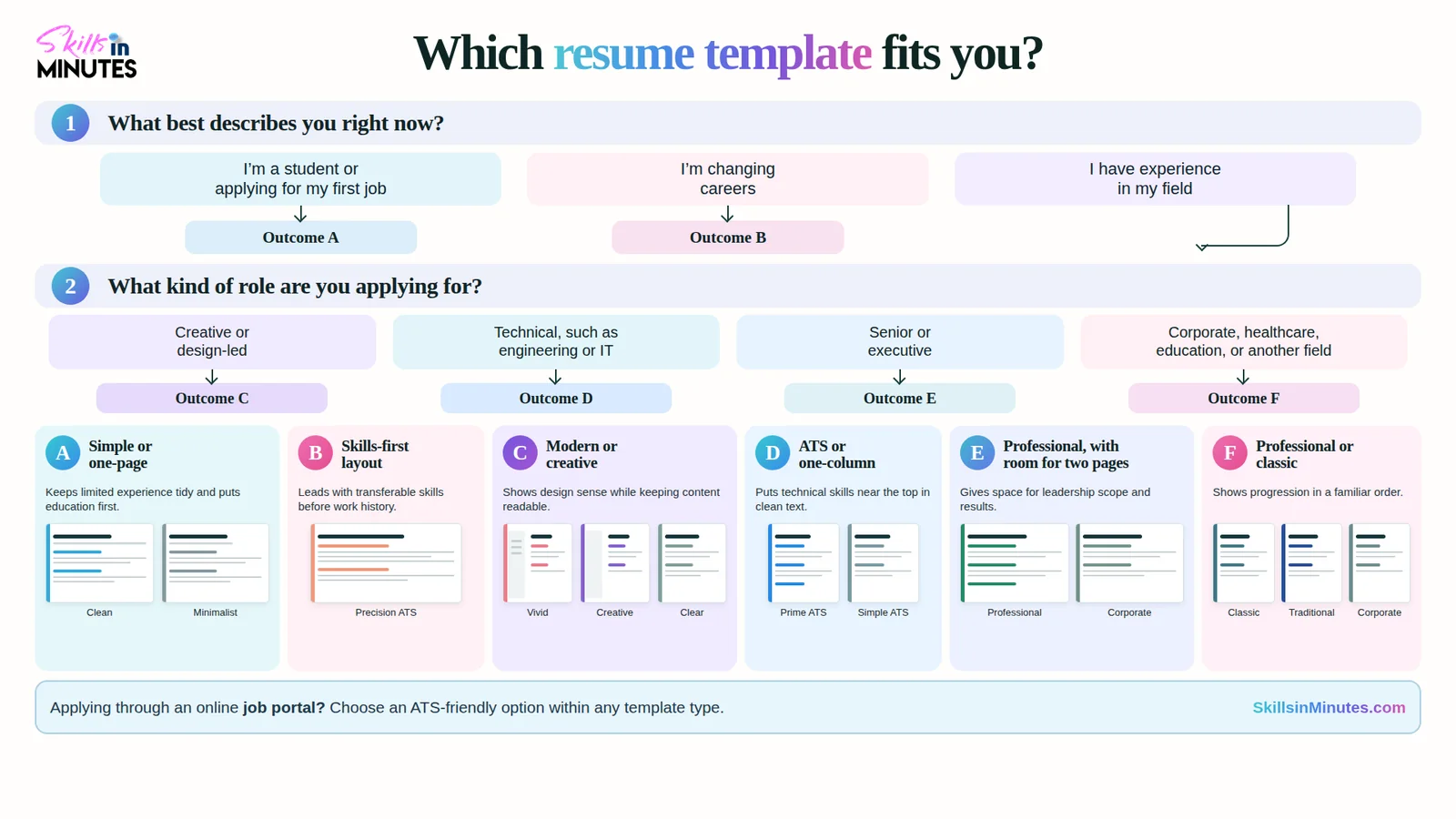
The six template types
- ASimple or one-page
You are a student, or you are applying for your first job. Keep limited experience tidy and put education first.
Try: Clean, Minimalist
- BSkills-first layout
You are changing careers. Lead with transferable skills before your work history.
Try: Precision ATS
- CModern or creative
Your role is creative or design-led. Show some design sense while keeping the content easy to read.
Try: Vivid, Creative, Clear
- DATS or one-column
Your role is technical, such as engineering or IT. Put your technical skills near the top in clean text that portals can read.
Try: Prime ATS, Simple ATS
- EProfessional, with room for two pages
You are senior or an executive. Give leadership scope and results the space they need.
Try: Professional, Corporate
- FProfessional or classic
You work in a corporate, healthcare, education or similar field. Show your progression in a familiar order.
Try: Classic, Traditional, Corporate
Applying through an online job portal? Choose an ATS-friendly option within any template type.
| Your situation | Template group | Why it fits |
|---|---|---|
| You are applying through a job portal | ATS-friendly (9 designs) | Single column, plain text and a real-text PDF that portal software can read. |
| You want a photo on your resume | With photo (22 designs) | Sidebars, banners and large photo headers, with a square, circle or tall frame. |
| You are in a student group or sorority | Sorority (12 designs) | Soft or rich colours, script names and wording such as Leadership and involvement. |
| You have many years of experience | Professional (17 designs) | Timeline, label column, boxed headings and two-column layouts for dense content. |
| You want a modern, colourful page | Vivid, Creative or Clear | Colour bands, sidebars and bold headings make a page stand out when a person reads it. |
| You need a quick, safe choice | Clarity, Simple ATS or Clean | Plain fonts, clear headings and an easy layout that works almost anywhere. |

Frequently asked questions about the resume builder
No. Your text and photo stay in this browser and are stored on your own device. Nothing is uploaded. If you clear your browser data or use another device, the saved copy will not be there, so download your PDF to keep it.
Yes. You can use every template, make as many PDFs as you like and print them, with no payment, watermark or account.
It depends on the country and the industry. Photos are common in some regions and discouraged in others, such as many English-speaking job markets. If the advert does not ask for one, leave it out or choose a template without a photo.
Use the paper size of the country where you are applying. Letter is standard in the United States and Canada, and A4 is used in most other places. You can switch at any time and the layout adjusts.
One page is enough for most early-career applicants. Choose two pages when you have a long, relevant history. Do not shrink the text below a readable size to force a fit.
Plain, common fonts such as the clean sans or traditional serif options in the ATS-friendly templates. They read well on screen and on paper, and the PDF keeps them as real text.
Clarity, Chronicle, Linework, Compact Pro, Airy, Signal, Precision ATS, Prime ATS and Simple ATS. They use one column, no photo, dark colours and plain fonts. Their PDF contains selectable text instead of a picture of text.
Yes. Use the tabs at the top of the tool. Each template builds a one-page cover letter and a references page with four to six reference blocks in the same style, using the details you already typed.
They are resume designs for students who want to show leadership, involvement, community service and activities. Their section names change to match, for example Leadership and involvement.
Yes. Open Your own sections, add a heading, a title, a place, a date and bullets. You can add as many as you like, hide any section and drag entries up or down.